The full inventory

Everything Loomwork does.
And the things it refuses to do.

A long, slow tour of the rooms, the tools, and the philosophy behind a writing app that wants to be invisible.

Room I · The page

The page

A single warm column of text, centered on the screen. The toolbar disappears when you start typing. The cursor is a thin gilt line. The word count sits quietly in the corner. Markdown is what is being written underneath, but you do not have to look at it unless you want to.

  • Source Serif 4 by default; switch to Iowan Old Style or your own face.
  • Distraction-free focus mode at the press of a key.
  • Sentence-level highlight to keep the eye on the line.
  • Smart quotes, en-dashes, and ellipses without surprises.
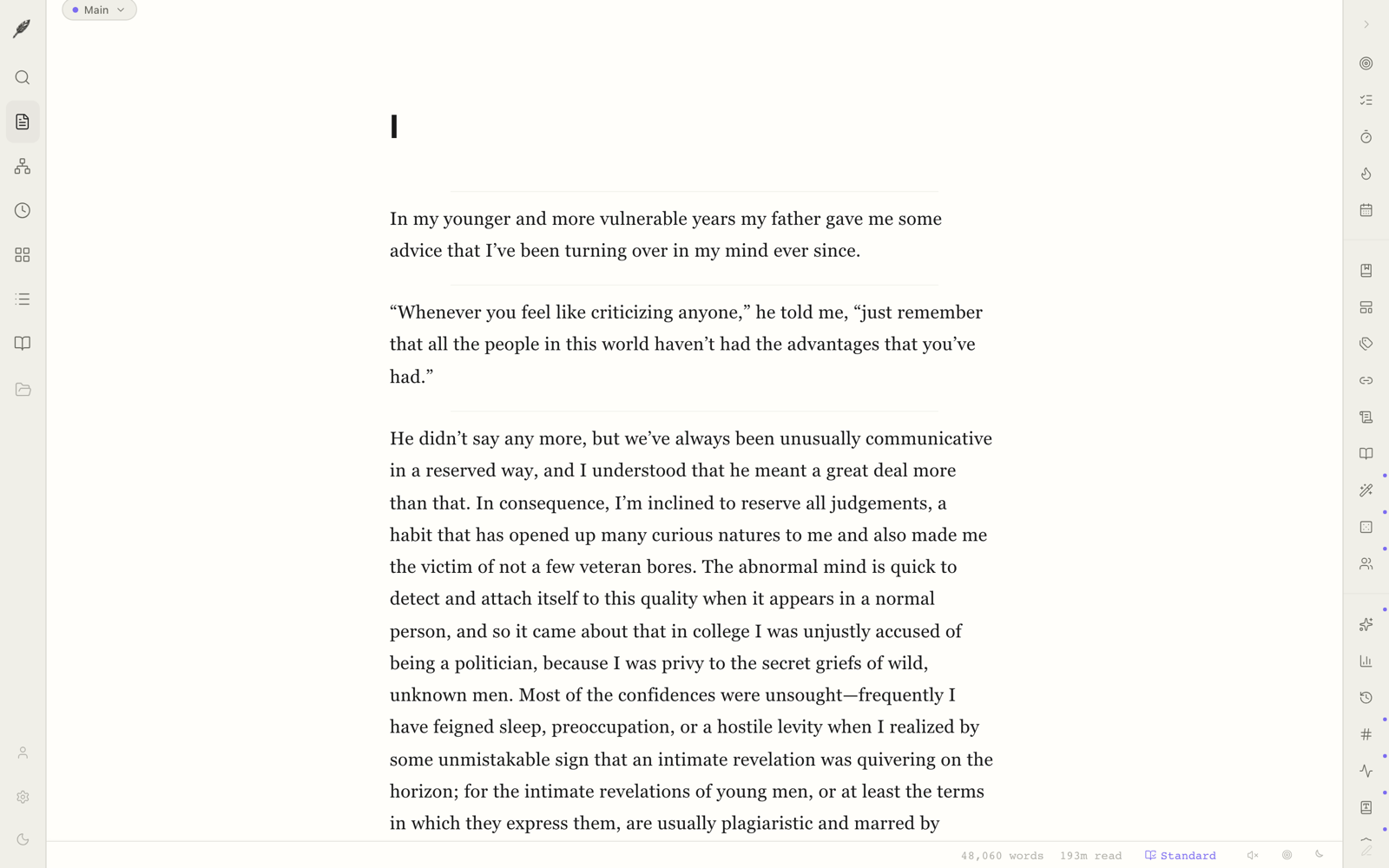
The Loomwork editor in its default state.
Room II · The binder

The binder

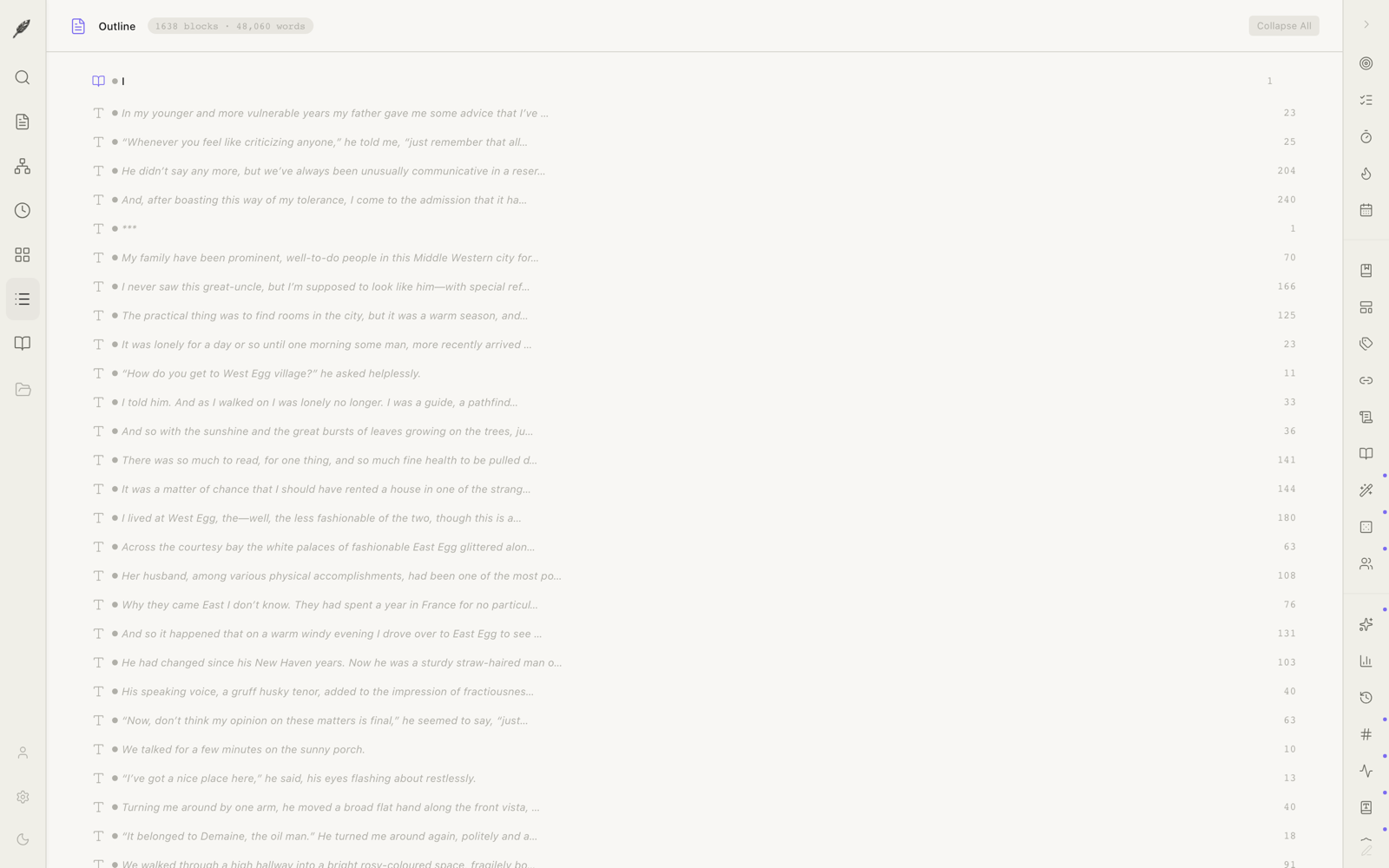
A nested tree of parts, chapters, and scenes that behaves the way a real binder does. Drag a chapter from the middle to the front and its scenes follow. Word counts roll up the tree. Compile a single chapter, a single part, or the whole manuscript with one keystroke.

  • Three or more levels of nesting; structure as deep as the book.
  • Per-node word counts that aggregate up the tree.
  • Status flags — draft, revision, final — visible at a glance.
  • Compile selection or whole project to any export format.
The binder, showing nested parts, chapters, and scenes.
Room III · The index cards

The index cards

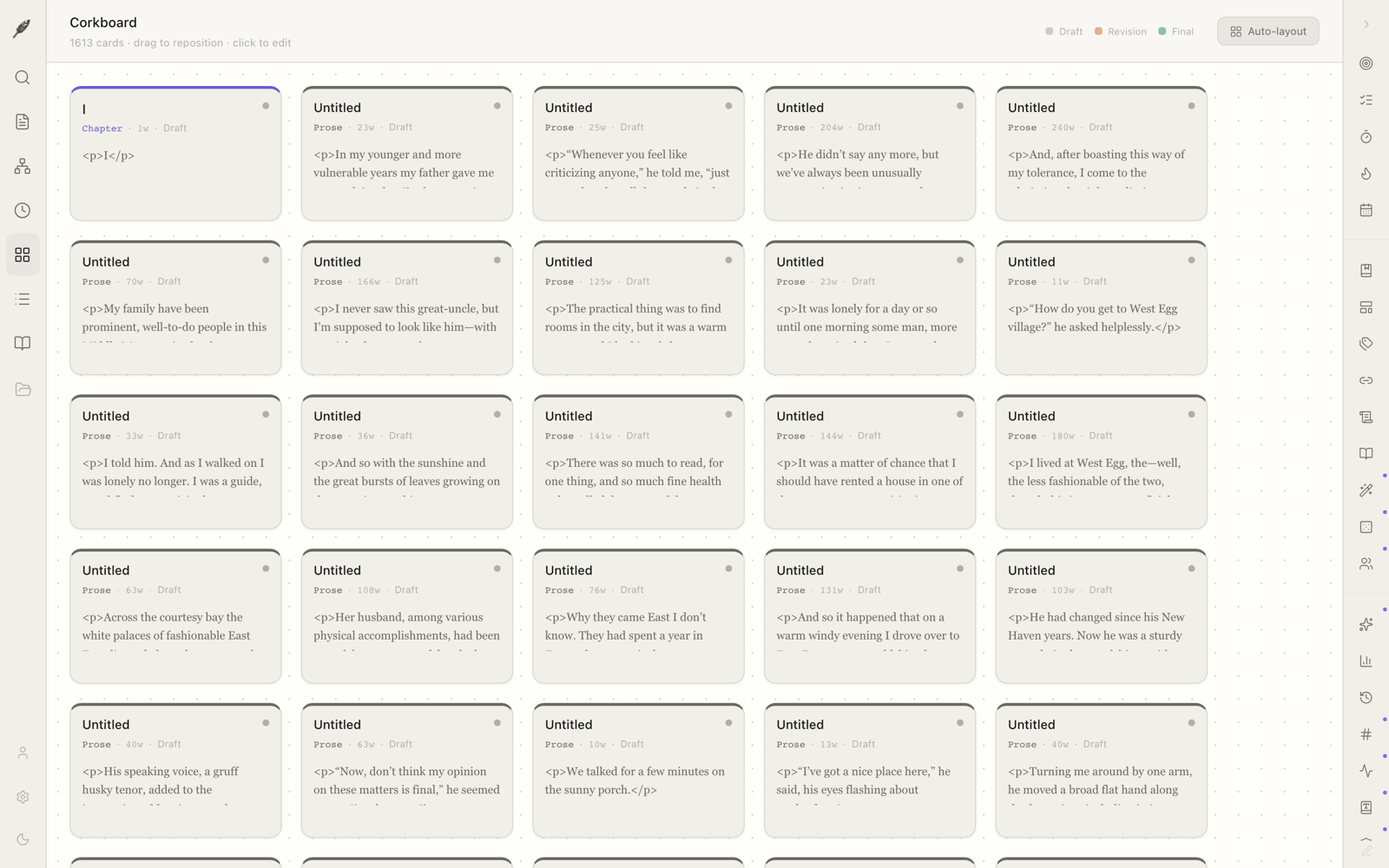
Every scene gets a card. Stand back, look at the deck, push them around. Group by part, colour by status, sort by length. The cards are the manuscript — what you write here is in the book.

  • Drag to reorder; the binder updates with you.
  • Synopsis on the front, scene on the back.
  • Group by chapter, status, or your own labels.
The corkboard view of scene cards.
Room IV · The chronology

The chronology

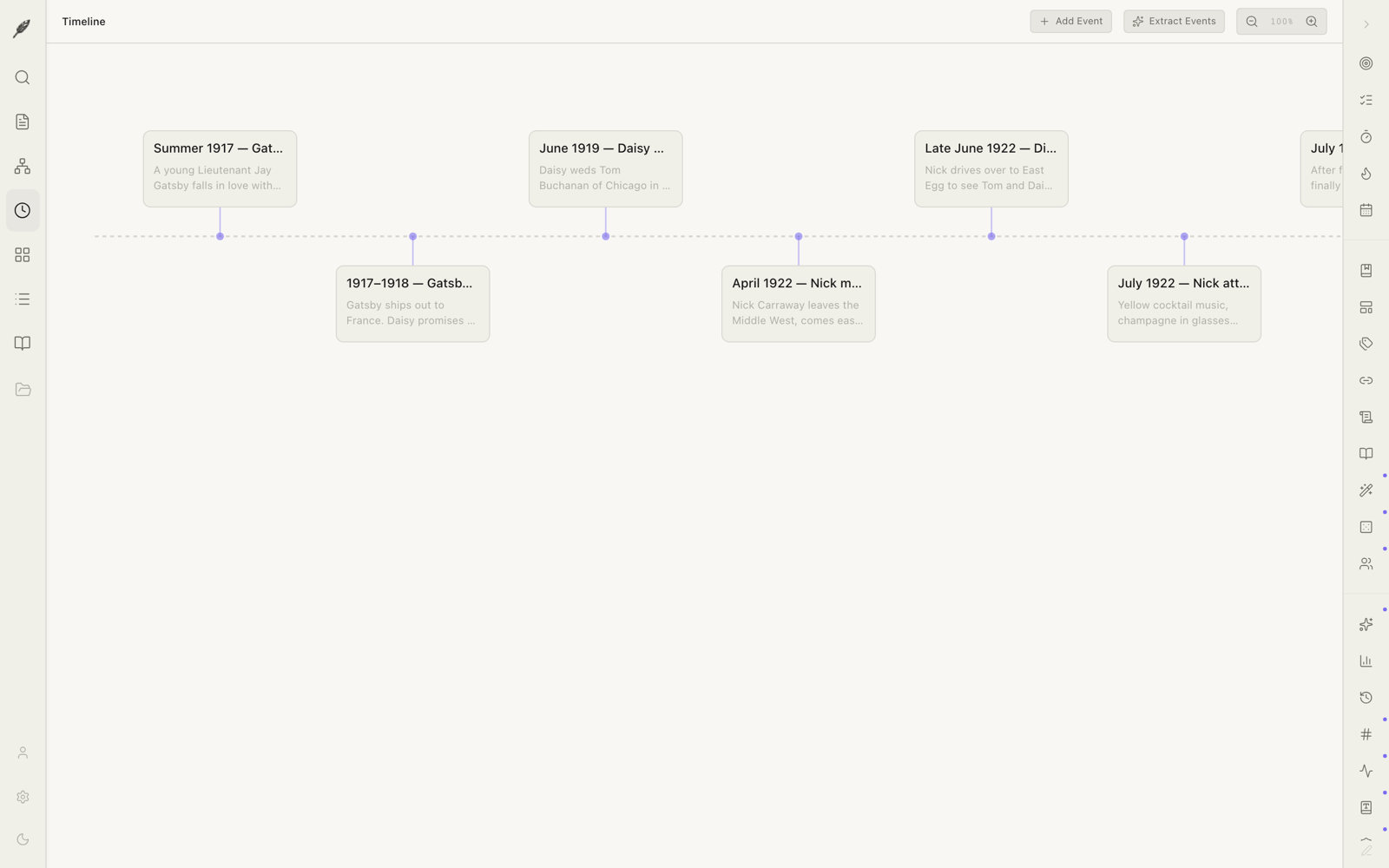
A horizontal timeline of in-story events. For memoirs, multi-decade novels, or a thriller that braids three timelines together. Drag a scene onto the timeline and it pins itself to a date you choose — in story-time, not in writing-time.

  • Multiple parallel tracks for braided narratives.
  • Story-date metadata stays with the scene wherever it lives.
  • Spot the gaps before your editor does.
The chronology view, showing scenes across time.
Room V · The network

The network of connections

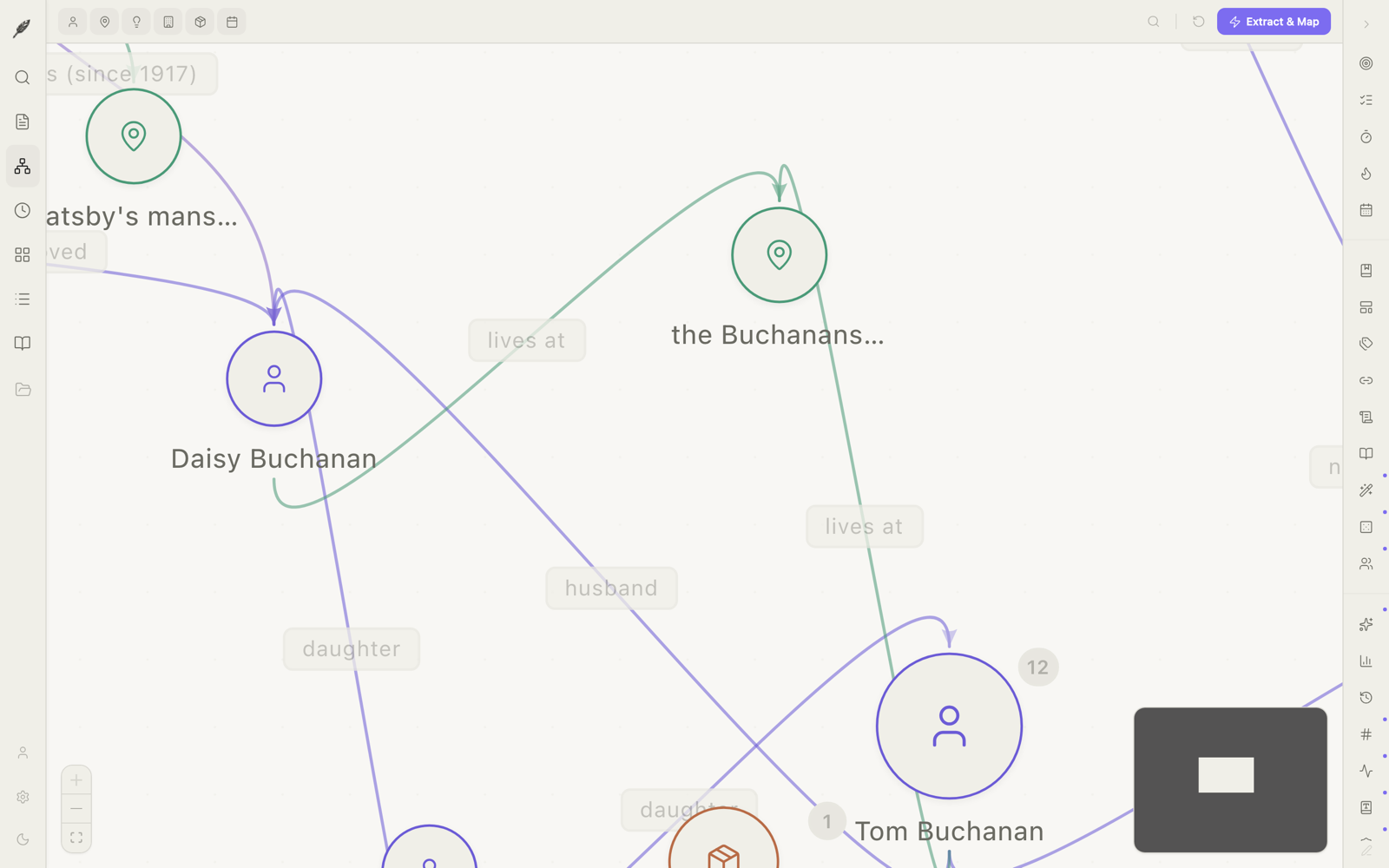
A graph of your characters, places, and threads, with the lines between them. The kind of map you used to draw on the back of an envelope, except it updates itself as you write. Click a node to see every scene the person walks through.

  • Nodes for characters, places, objects, and themes.
  • Edges show relationships and where they appear together.
  • Filter by chapter range, status, or your own categories.
The graph of character and place connections.
The research room

Where the notebooks live

Drop in interview transcripts, photographs, web clips, and audio recordings from your phone. Pin a passage to a scene so it surfaces when you’re writing that part of the book. Search across all of it without leaving the page.

  • PDFs, images, audio, plain text, and rich-text notes.
  • Automatic source attribution on web clips.
  • Pin research to scenes; appears in the right rail when you’re there.
The research room with transcripts and clippings.
Manuscript craft

Industry-standard output

Loomwork exports your book in the William Shunn format that agents and editors actually use: 12-pt Courier, double-spaced, name and word count on the cover, last-name / keyword / page in the running header. Eight formats in all: DOCX, EPUB, Fountain (.fountain), Final Draft (.fdx), PDF, Markdown, HTML, and plain text. Each is built to be opened, not admired.

  • One-click compile of the full manuscript or a selection.
  • DOCX with track-changes-friendly styles.
  • EPUB validated against the standard. Sideload to a Kindle or open in Apple Books.
  • Fountain and FDX for the screenwriting subset.
The manuscript preparation panel.
For drafting

While you write the first time

The hours when the page is empty are the hardest. Loomwork keeps a few quiet companions at your side — a typewriter line that holds the cursor in the middle of the screen, a where-am-I tag that whispers your chapter and word count without a panel, and per-chapter goals so the binder turns gold one room at a time.

  • Typewriter line mode — the active line stays vertically centred. Cmd Opt T.
  • Where-am-I status — a small line at the foot of the editor: chapter, scene, day’s words.
  • Chapter word goals — set a target on any chapter in the binder; a slim ring fills as you go.
  • Story-structure templates — start a new project from Save the Cat, the Three-Act, the Hero’s Journey, the Story Grid, or Freytag’s pyramid. The binder is pre-filled; rename and rewrite.
The chapter goals ring and word counter.
For revising

When the second draft begins

Revision is where the book is actually written. A live prose linter underlines passive voice, adverbs, filter words, and over-long sentences — quietly, in the margin, never in your way. A graveyard keeps the lines you cut for ninety days, in case the second-best sentence turns out to have been the best one. A side-by-side version diff lets you compare any two snapshots of a chapter and roll back a paragraph at a time.

  • Live prose linter — passive voice, adverbs, filter words, sentence length. Off by default.
  • Graveyard — deleted blocks recoverable for 90 days; nothing the trash can does.
  • Version history with side-by-side diff — named milestones, line-level diff, paragraph-level rollback.
  • Dialogue voice analysis — per-character voice fingerprint with drift detection. Catches when Maria starts sounding like David in chapter nine.
The prose linter and version diff in the revision room.
For research

Every scrap, in one place

The research room is where the world the book lives in is built. Annotate PDFs by highlighting, sticky-noting, or pinning a passage to a scene. The new Loomwork web clipper for Chrome and Safari saves a clean copy of any article — text, citation, source URL — straight into the room. And drag a Scrivener .scriv folder onto the dock to import a whole project, including the binder, notes, and metadata.

  • PDF annotation — highlight, comment, pin to a scene; annotations stay with the document.
  • Web clipper — Chrome and Safari extensions, one click to save a clean Reader-style copy with citation.
  • Scrivener import — drag a .scriv folder; the binder, notes, and labels come across. RTF is converted; warnings are listed.
A PDF being annotated in the research room.
For publishing

From manuscript to ISBN

Loomwork now exports a typeset interior ready for KDP self-publishing — trim sizes, gutters, page numbers, chapter rule, the lot. Send a draft to beta readers with a private share link that expires when you say so. Or send a track-changes DOCX to your editor, the way the industry expects.

  • KDP self-publish PDF — 5x8, 5.5x8.5, and 6x9 trims; properly typeset chapter pages and running heads.
  • Beta-reader share link — private read-only URL, optional comments, expires in 7/30/90 days, revocable.
  • Shunn manuscript DOCX — 12-pt Courier, double-spaced, the cover page agents expect.
  • Track-changes DOCX — round-trip with Word; comments and revisions both directions.
The manuscript preparation panel with KDP and beta-reader buttons.
For collaborating

Two writers, one book

Co-author mode lets two writers work on the same project with end-to-end Postgres row-level security — nobody who isn’t invited can see a sentence. Send an invitation, your collaborator clicks the email, and the project appears in their dock. Track-changes and comments work across the wire the way they do on disk.

  • Co-author mode — invite by email; full RLS at the database row.
  • Invitation flow — the recipient gets a link, accepts in the browser, the project syncs.
  • Comments and track changes — threaded, resolvable, attributed, synced.
Co-author mode with invitation and shared comments.
Coming this autumn

iOS capture, for the travelling writer

An iPhone and iPad companion that captures notes, photos, and voice memos straight into the research room of an open project. Designed for the bus, the cafe, and the boarding gate — not for serious writing on a glass screen. Free with Pro.

  • Quick-capture notes, photos, and voice memos.
  • Auto-syncs to the desktop’s research room.
  • Free for Pro subscribers when it ships.

Coming autumn 2026.

Working tools

The little things

The small utilities that turn a good app into one you live in. None of them shout for attention. All of them are off until you reach for them.

  • Goals: daily and project word counts that don’t nag.
  • Sprint timer for Pomodoro-style sessions.
  • Snippets and templates for openings, scene breaks, and recurring forms.
  • Style sheet to track your own conventions: spellings, hyphens, character names.
  • Version history with named milestones.
  • Track changes for working with an editor.
  • Dark mode if the room is dark.
The writing goals panel.
Optional · Pro feature

The quiet research assistant

A small set of optional helpers: entity extraction (who is in this scene), continuity hints (Mary’s mother had brown eyes in chapter three), and thread tracking (the promise that hasn’t been kept yet). They run only when you ask, on a stateless cloud proxy that does not keep your text. Off by default. Easy to turn off and forget.

  • No automatic suggestions in the editor.
  • No text retained on our servers.
  • One toggle in Settings turns the whole thing off.
The optional intelligence panel.

The next page is yours.

Download for Mac

~10 MB · macOS 12 or later, Apple Silicon